
PCE.emu (PC Engine Emulator)
Robert BrogliaArcade
4.5245.00 Reviews
- Version
- Varies With Device
- Installs
- 10.00K
- Age Rating
- Everyone
Screenshots
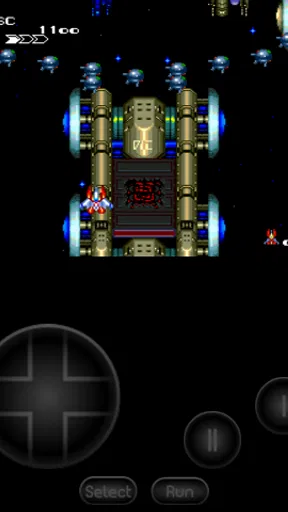
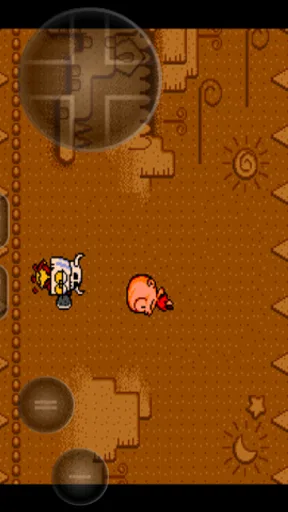
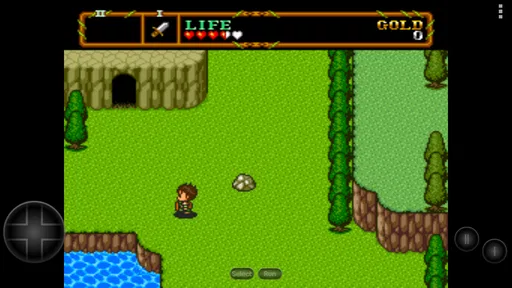
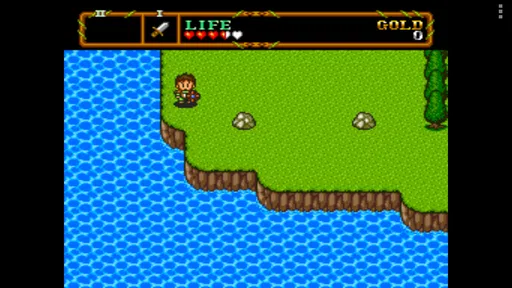
Our Review of PCE.emu (PC Engine Emulator)
 Analysis by Appyee
I enjoy classic console games most when the emulator stays out of the way. The best sessions are not about adjusting endless settings; they are about choosing a game, picking up a controller, and feeling that familiar response from the original hardware. PCE.emu is built around that idea for PC Engine and TurboGrafx-16 software, and in my experience it makes a strong case for people who want a focused way to revisit that library on a mobile device.
It is an arcade-oriented game app from Robert Broglia, priced at $3.99, with an Everyone age rating. It has been available since Aug 27, 2010, and its long presence gives it a different character from newer, trend-driven mobile releases. This is not a game with its own campaign or progression system. It is a tool for playing compatible retro titles, so its value depends heavily on the games you already own and the kind of experience you want from emulation.
The app currently holds a 4.5 average from around 1.1 thousand ratings and has passed 10 thousand installs. Those figures suggest a modest but committed audience rather than a mass-market mobile crowd. I would recommend it most readily to PC Engine fans, TurboGrafx-16 collectors, and players who prefer paying once for a dedicated emulator instead of working around a more cluttered alternative.
How PCE.emu feels in everyday use
I find the everyday appeal of PCE.emu comes down to whether I can get from choosing a game to playing it without turning a short break into a setup session. Keeping one familiar title easy to find is a simple way to make that transition smoother, especially when I’m playing on a phone. That practical routine also helps reveal whether the friction is in the app, the files, or the controls.
A focused route back to PC Engine games
The first thing I appreciate is the narrow purpose. PCE.emu is not trying to be a universal retro box, a social platform, or a catalog of downloadable games. Its job is to provide a mobile environment for PC Engine and TurboGrafx-16 software. That focus matters because the original library has its own identity, especially for players interested in fast arcade-style action, compact platform games, shooters, and unusual regional releases.
For a realistic everyday example, I might have twenty minutes before leaving home. Instead of setting up a television, I can open the emulator, continue with a familiar title, and stop when I need to go. That convenience is the main reason to use a mobile emulator rather than original hardware. The phone is already with me, and the app turns short gaps in the day into practical retro-gaming sessions.
That convenience does not erase the compromises. Touch controls can never fully match a physical gamepad, particularly in games that demand rapid diagonal movement or repeated button presses. I can manage slower platforming and many menu-driven moments comfortably, but demanding action feels much better with a compatible external controller. Anyone buying this specifically for arcade-perfect control should plan around that distinction.
Why the paid model changes the experience
The $3.99 price is important because it frames PCE.emu as a deliberate purchase rather than something to install casually and abandon. I see that as a reasonable trade-off for a specialized emulator, especially if the PC Engine is one of my main retro interests. A free alternative may look more attractive at first, but it can be less appealing if it is harder to navigate, supports too many systems at once, or makes the basic experience feel secondary to other elements.
At the same time, the purchase only makes sense if I already have a legitimate way to use the games I want to play. An emulator is not a replacement for the game library itself. That is an easy point to overlook when a store summary is short. PCE.emu provides the environment; it does not turn the app into a ready-made collection of PC Engine or TurboGrafx-16 games.
This also means the app is a poor choice for someone who simply wants an instant mobile game with no preparation. If I am looking for something I can install and play immediately, a conventional arcade game is more convenient. PCE.emu is for people willing to organize their own files and spend a little time understanding how their library will be used.
The small setup decisions that make a big difference
One useful habit is to prepare a clean library before judging the emulator. I prefer meaningful file names and a simple folder structure, because browsing a badly organized collection can make a focused emulator feel awkward. Separating PC Engine and TurboGrafx-16 material by region or system identity also reduces the chance of launching the wrong version when I am deciding quickly what to play.
I also recommend testing a game with touch controls before changing several settings at once. If the problem is simply that a virtual button layout does not suit my hands, altering unrelated options will not help. I get better results by adjusting one part of the control arrangement, playing for a few minutes, and then deciding whether the issue is comfort, timing, or the game itself.
A third practical tip is to use short test sessions when adding unfamiliar titles. Starting with a game I know well gives me a reference for sound, speed, controls, and screen presentation. Once that behaves as expected, I can explore less familiar software with more confidence. This makes troubleshooting much easier than trying to diagnose an unfamiliar game and an unfamiliar setup at the same time.
What the app is like for returning users
For someone who has used PCE.emu for years, the appeal is likely stability and familiarity rather than novelty. The app was released on Aug 27, 2010, so its identity is rooted in the long-running emulation approach that has attracted retro players over time. I would not approach it expecting a modern game-service experience with constant social additions or a redesigned entertainment hub. Its value is more practical: it gives an established way to access a specific console family on a mobile device.
That can be a benefit for existing users. Once I understand the emulator’s workflow, I do not need to relearn an entirely different interface every time I want to revisit the library. A focused tool can also make it easier to remember where a particular game belongs and which controller arrangement works best for it.
The trade-off is that familiarity can feel dated if I normally use newer emulators with more polished presentation. A person coming from a modern all-in-one solution may find PCE.emu less immediately inviting, not because the core idea is weak, but because the app expects the user to care about the specific platform rather than offering a broad, guided experience.
How it compares with the usual alternatives
The most obvious alternative is original PC Engine or TurboGrafx-16 hardware. Real hardware offers the strongest physical connection to the system, authentic controllers, and the satisfaction of using the console itself. It is the better choice for a collector, a dedicated television setup, or anyone who considers the hardware part of the hobby. PCE.emu wins on portability, quick access, and the ability to play in places where bringing the original system is impractical.
Another alternative is a general retro emulator that handles several systems. That route can be better for someone whose library spans many consoles and who wants one application for everything. The advantage is convenience across platforms. The disadvantage is that a broad app may feel less tailored to PC Engine and TurboGrafx-16 play. I prefer PCE.emu when this particular library is the reason I am opening the emulator, not merely one small part of a much larger collection.
There is also the option of free emulation software. Free tools may suit users who are experimenting or who do not yet know whether they will spend time with this console family. I would choose PCE.emu when I want a dedicated paid product and value a straightforward purpose. I would skip it if the price itself is the main concern or if I only plan to try one game briefly.
Where the experience still has friction
The biggest limitation is not unique to this app: mobile emulation depends on the phone, the screen, and the control method. A small display can make virtual buttons feel crowded, while a large display may expose how much of the experience depends on precise input. Touch controls are acceptable for testing and casual play, but they are not my first choice for a difficult shooter or a fast platformer.
There is also a learning curve around personal file management. People accustomed to modern mobile games may wonder why the app does not simply present a built-in library. That expectation does not fit this kind of software. The user has more responsibility, including keeping the collection organized and knowing which games are appropriate for the intended system and region.
Another point to consider is that emulation quality is not the same as the experience of owning the original console. Even when a game runs well, the phone’s audio hardware, display, touch layer, and operating-system interruptions can change the atmosphere. I can reduce some of that friction with headphones, a controller, and a quiet setup, but I cannot make a phone identical to a television and original hardware.
Who should choose it, and who should pass
I think PCE.emu is a good match for a player who already knows why the PC Engine or TurboGrafx-16 library interests them. It is especially appealing if I want a portable way to revisit games I have played before, compare regional versions that I legally possess, or explore a console family that is often less visible than more famous retro systems.
It is also suitable for someone who enjoys adjusting a setup until it feels personal. The most satisfying use is not necessarily the first five minutes after installation. It is the point at which the library is tidy, the on-screen controls are comfortable enough for the games I play, and my preferred controller or headphones are ready.
I would tell a complete beginner to think carefully before paying. If the name PC Engine means nothing to me and I do not already have games for the platform, the app may feel like an empty tool. A broader emulator or a normal arcade title would offer a clearer first step. I would also steer away from it if I mainly want current mobile features, built-in multiplayer discovery, or a single app that handles every retro console I own.
What to watch as the app continues to age
Because PCE.emu has been around since 2010, I pay attention to how well its established approach fits newer phones and newer user expectations. The important question for a prospective buyer is not whether the app sounds modern; it is whether the day-to-day workflow remains comfortable on the device being used. Screen proportions, controller support, file access, and operating-system behavior can affect the experience more than a short store description suggests.
I would also watch for how the app serves both longtime users and people discovering the platform for the first time. Existing players generally want a dependable path back to their library, while newcomers need enough clarity to understand the preparation involved. Those goals can coexist, but only if the interface remains approachable without burying the focused nature that makes the emulator useful.
The developer, Robert Broglia, gives the app a recognizable identity within dedicated retro emulation. Still, I would keep my expectations grounded. A long-running emulator should be judged by how effectively it handles the games and workflow I care about, not by assumptions that it will transform into a completely different kind of product. Its strongest future is likely one that preserves its specialized purpose while reducing avoidable setup frustration.
My recommendation after using it
PCE.emu is a sensible purchase for the right kind of retro player. I like that it concentrates on PC Engine and TurboGrafx-16 rather than trying to become an oversized arcade library. That focus makes it easier to recommend to a fan who wants portable access and is comfortable bringing a personal, legitimate game collection to the experience.
My recommendation comes with clear conditions. Use a physical controller if the games rely on fast, exact input. Organize the library before forming an opinion. Test with a familiar title first, and do not expect the app to supply games or reproduce every feeling of original hardware. Those steps remove much of the avoidable frustration and make the $3.99 purchase easier to justify.
In the end, I see this as a specialized arcade game companion rather than a universal answer to retro gaming. Its 4.5 average and audience of over 10 thousand installs show that it has found a place with dedicated users, but the modest scale also reflects its narrower appeal. If the PC Engine and TurboGrafx-16 library is the destination, PCE.emu is a practical road to it; if the platform is only a side interest, a broader or simpler alternative may serve you better.
Verdict
Strengths of PCE.emu (PC Engine Emulator)
- Accurate PC Engine and TurboGrafx-16 emulation
- Supports save states for quick progress recovery
- Customizable on-screen controls improve touch play
- Works with external Bluetooth and USB controllers
- Includes useful video filters and display options
Limitations of PCE.emu (PC Engine Emulator)
- Requires legally obtained game ROMs; none are included
- Some advanced settings may confuse first-time emulator users
- Touch controls can feel cramped on smaller phone screens
- Performance may vary on older or budget Android devices
- The paid app offers no built-in game library
Other Releases by Robert Broglia
View All
Snes9x EX+
Arcade4.2

MD.emu (Genesis Emulator)
Arcade4.2

NES.emu (NES Emulator)
Arcade4.3

GBA.emu (GBA Emulator)
Arcade4.3
Similar Picks in This Category
View All
Subway Surfers
SYBO Games4.6

Stickman Party 234 MiniGames
PlayMax Game Studio4.6

Subway Princess Runner
Ivy4.4

Temple Run
Imangi Studios4.2

Zombie Tsunami
Mobigame SAS4.6

Stack Ball - Crash Platforms
CASUAL AZUR GAMES4.5
Frequently Asked Questions
What is PCE.emu, and which games can it run?
PCE.emu is an emulator designed to play games from NEC’s PC Engine and TurboGrafx-16 systems on compatible Android devices. It can run many HuCard titles and, depending on the version and device, supported CD-based games when the required system files and disc images are correctly configured. You must provide your own legally obtained game files, as the app does not include copyrighted games.
Does PCE.emu include PC Engine games or BIOS files?
No. PCE.emu is an emulator rather than a game collection, so it does not normally include commercial PC Engine or TurboGrafx-16 games. Some CD-based titles may also require a compatible BIOS file. Users should create or obtain ROMs, disc images, and BIOS files from games and hardware they legally own, then copy them to their device and select the correct folders from the emulator’s settings.
How difficult is PCE.emu to set up for a first-time user?
The basic setup is fairly straightforward, especially for HuCard or cartridge-style games: install the app, grant file access if requested, locate your legally obtained ROM files, and open them through the game browser. CD games can require additional steps, including correctly organized disc images, cue files, and BIOS configuration. The interface is practical, although beginners may need to adjust settings manually.
What features and controller options does PCE.emu offer?
PCE.emu provides the main features expected from a serious mobile emulator, including save states, automatic or manual game loading, customizable on-screen controls, display adjustments, and support for external controllers on compatible devices. Button layouts can be adapted for different screen sizes, while physical gamepads generally provide a more comfortable experience for action games and longer sessions.
Will PCE.emu work smoothly on every Android phone or tablet?
Performance depends on your device, Android version, game format, and emulator configuration. Most relatively modern phones should handle standard PC Engine games smoothly, while CD-based titles may require more storage and occasional tuning. Older or low-end devices can experience audio, timing, or compatibility issues. Before downloading, check the app’s current Android requirements and confirm that your device supports its file-access system.
Play our best games!


